Streaming Integration Platform Workshop
Welcome to the Streaming Integration Platform Workshop! This workshop is designed to provide you with an understanding and experience of how to deploy and configure the Streaming Integration Platform in your environment.
If you are reading this information then you have everything that you will need to complete the workshop, because it has all been pre-loaded on the Linux system that is hosting this site.
The workshop is arranged as a series of small logical steps and it is generally important to complete then in the order they are presented in. To make this easy you will find links to the previous and next topic at the top and bottom of each page. The links at the top of the page look lile this:

And the links at the bottom of the page look like this:

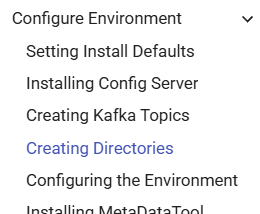
You can also follow your progress in the navigation bar on the left; your current topic is shown in blue:
As you work, look for call-outs like this, because each of these contains specific actions you must take:
Execute this command To backup your master configuration file:
cp /etc/synergex/sip/config-server/default/MasterConfig.json ~/MasterConfig.save
Whenever you see commands shown in a gray box you should also see a copy icon at the right side; click the icon to copy the command to your clipboard, making it easy paste into your terminal.

Linux sudo passwords are disabled
Similar to the way that on Windows, some operations require User Account Control elevation to Administrator to operate, on Linux the equivalent mechanism is the sudo command. Operations requiring root permissions must be executed via the sudo command, and require the user to type in a password:
sudo vi /etc/hosts
[sudo] password for admin: